How to Mix and Match Clothes: Color Theory & Virtual Styling
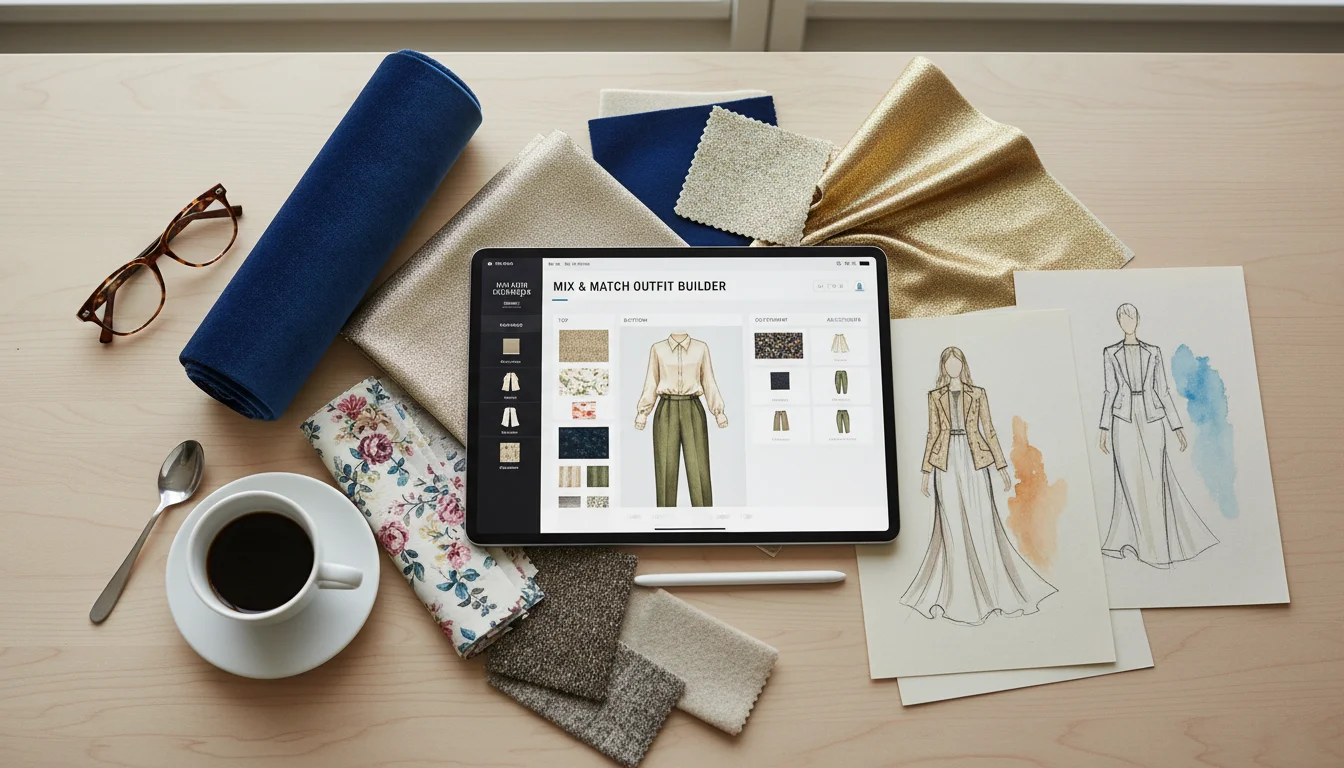
Getting dressed should not feel like guesswork. With AI wardrobe apps, you can now mix and match your real clothes virtually - combining tops, bottoms, shoes, and accessories on a digital canvas to see if they work together before you put anything on. No more standing in front of the closet holding two hangers up next to each other and squinting. No more trying on five combinations to find one that feels right.
This guide shows you how to mix and match clothes virtually using FitInView's Outfit Builder, covers essential styling principles like color theory and proportion, explains how AI outfit scoring works, and gives you practical tips for creating better outfit combinations from your real wardrobe.
Why Mix and Match Clothes Virtually?
Mixing and matching clothes virtually solves several problems that physical outfit planning cannot:
- Save time in the morning - plan tomorrow's outfit tonight in 30 seconds instead of 15 minutes of closet rummaging
- Discover combinations you never thought of - the digital view of your entire wardrobe reveals pairing opportunities you miss when scanning hangers in a dark closet
- See if a new purchase works with what you already own before buying - paste a product URL and match it against your existing wardrobe
- Get objective AI scoring on color harmony, style coherence, and occasion appropriateness
- Try the complete outfit on virtually - see it on your body in a realistic AI-generated preview, not just on a flat-lay canvas
- Reduce decision fatigue - build a library of pre-planned outfits so morning decisions take seconds
How the Outfit Builder Canvas Works
FitInView's Outfit Builder gives you a flat-lay canvas with seven slots: top, bottom, shoes, outerwear, bag, accessory, and headwear. Browse your uploaded wardrobe on the right side of the screen and drag items into each slot to build a complete look.
As you add items, the canvas shows a visual preview of the combination arranged naturally - items positioned and slightly rotated as they would appear in a professional flat-lay photograph. You can swap pieces freely by tapping a different item in the browser, remove items from any slot, and experiment with entirely different looks in seconds. The interface works exactly like arranging clothes on a bed - except it is digital, instant, and connected to your entire wardrobe.
Color Theory for Better Outfit Combinations
Understanding basic color theory dramatically improves your outfit combinations. You do not need a design degree - these five principles cover 90 percent of daily styling decisions:
The Three-Color Rule
Limit your outfit to three colors maximum: one dominant color (the largest area, usually your top or bottom), one secondary color (the supporting piece), and one accent color (shoes, bag, or accessory). More than three colors creates visual chaos unless you are deliberately going for a maximalist look.
Neutral Foundations
Neutrals - black, white, grey, navy, beige, tan, olive - pair with virtually everything. If you are unsure about a combination, anchor it with neutral bottoms or shoes and add color through one statement piece. The AI review will often suggest this approach when it detects too many competing colors.
Complementary Colors
Colors opposite each other on the color wheel create high contrast and visual energy: blue and orange, purple and yellow, red and green. These pairings work well in small doses - a blue outfit with an orange bag, for example - but can overwhelm when both are dominant.
Analogous Colors
Colors next to each other on the color wheel create harmony and flow: blue, teal, and green; red, orange, and yellow; purple, blue, and indigo. Analogous outfits feel cohesive and effortless. This is the easiest color scheme to pull off and the one the AI suggests most frequently.
Monochrome and Tonal Dressing
Wearing different shades of the same color family - light blue shirt, medium blue pants, dark blue shoes - creates a sophisticated, elongating effect. Monochrome outfits are consistently rated highly by the AI review because they automatically achieve color harmony.
Proportion and Silhouette Tips
Beyond color, how your clothes fit together in terms of volume and shape matters enormously. Here are the core principles:
- Balance volume - If your top is oversized or boxy, pair it with fitted bottoms. If your bottoms are wide-leg or flowy, pair them with a fitted or tucked-in top. Oversized on top and bottom together works only in specific streetwear or bohemian contexts.
- Define the waist when possible - Tucking in a shirt, adding a belt, or wearing a fitted layer shows your natural shape and prevents the outfit from looking shapeless.
- Match formality levels - A structured blazer with athletic shorts creates a jarring disconnect. All pieces should live at roughly the same formality level unless you are deliberately creating contrast (like a blazer over a graphic tee for smart-casual).
- Consider shoe impact - Shoes set the tone of the entire outfit. Sneakers casualize everything. Heels or polished leather formalize everything. A single shoe swap can shift an outfit from weekend casual to dinner-ready.
AI Outfit Review: How It Scores Your Combinations
Once you have assembled an outfit on the canvas, tap Review and the AI analyzes the combination across four dimensions:
- Color harmony - Does the color palette work? Are there complementary, analogous, or monochromatic relationships? The AI flags clashing combinations and suggests specific swaps.
- Style consistency - Do all items belong to the same style universe? A formal blazer with athletic shorts gets flagged. A casual tee with chinos gets approved as relaxed smart-casual.
- Occasion appropriateness - The AI rates the outfit for multiple occasion contexts: casual, business casual, smart casual, formal, and active.
- Seasonal fit - Is the combination weather-appropriate? A wool coat over a tank top in summer triggers a mismatch warning.
The AI does not just assign a number. It provides specific, actionable commentary - 'the brown belt competes with the black shoes; try your tan belt instead' or 'this outfit reads business casual; add the navy blazer to push it to business formal.' Each review uses a different AI persona with a slight style bias, keeping feedback fresh and varied.
Try On the Complete Look Virtually
After building an outfit on the canvas, tap Try On and the AI generates a realistic image of you wearing all the selected items together. You see exactly how the outfit looks on your body with proper layering, proportions, and color balance - not just how it looks as disconnected pieces on a flat surface.
This is where virtual mix and match becomes truly powerful. A combination that looks questionable on the flat-lay canvas might look fantastic on your body because the proportions work with your frame. Conversely, a flat-lay that looks great might reveal proportion issues when you see it on yourself. The try-on eliminates guesswork and gives you confidence that the outfit will work in real life.
Outfit Combination Ideas to Try
Not sure where to start? Here are proven outfit formulas that work across most wardrobes:
- The classic casual - Well-fitting jeans plus a solid-color tee plus clean sneakers plus a simple watch. Swap the tee for a button-down to go smart-casual.
- The business casual - Chinos or tailored trousers plus a collared shirt (untucked or tucked) plus leather loafers or clean Chelsea boots. Add a blazer for meetings.
- The layered look - T-shirt base layer plus an open button-down or cardigan plus jeans plus boots. This three-layer approach adds depth without overdressing.
- The monochrome - Pick one color family and dress in three different shades. Navy chinos with a light blue shirt and dark blue jacket. Effortlessly cohesive.
- The statement piece - One bold item (printed shirt, bright jacket, unique shoes) with everything else in neutrals. Let one piece do the talking.
Building a Library of Go-To Outfits
The ultimate time-saver is building a library of pre-approved outfits. Spend 20 minutes on a Sunday mixing and matching combinations for the week ahead. Save the outfits you like, tag them by occasion (work, weekend, date night, gym), and when morning comes, just open your saved outfits and pick one. No thinking required.
Saved outfits also feed into FitInView's daily suggestion algorithm. The AI learns which combinations you have approved and uses them as a foundation for future recommendations. Over time, your daily suggestions become a mix of your proven favorites and fresh variations the AI thinks you will like.
Related Posts
- Outfit Builder: Create Perfect Outfits From Your Real Clothes - Detailed guide to the flat-lay canvas and AI review
- How to Upload Your Clothes and Try Them On Virtually - Getting your wardrobe into the app
- Never Ask What Should I Wear Again - How saved outfits power daily AI suggestions