Virtual Try-On: How It Works & Tips for Best Results

Virtual try-on has gone from a novelty to a genuinely useful tool. Today’s AI can generate photorealistic images of you wearing any garment — from a designer dress to a vintage jacket you spotted at a thrift store. But the quality of the result depends heavily on what you give the AI to work with, and the technology behind different apps varies significantly.
This comprehensive guide explains how virtual try-on technology works under the hood, traces its evolution from simple overlays to AI-powered image synthesis, compares the different technological approaches, and gives you practical tips to get the best possible results from your virtual try-on sessions.
A Brief History of Virtual Try-On Technology
Virtual try-on is not new — the concept has been around since the early 2010s. But the technology has evolved dramatically through several distinct phases:
Phase 1: Simple Image Overlay (2012-2018)
The earliest virtual try-on apps used basic image overlay techniques. They detected your body outline, stretched a flat garment image to fit your proportions, and pasted it on top. The results looked like paper dolls — obviously fake, with no realistic draping, shadows, or fabric behavior. These apps were novelties, not useful tools. You could tell immediately that the image was generated, and the technology was more entertaining than practical.
Phase 2: 3D Body Modeling (2018-2022)
The next generation used 3D body modeling. Apps would estimate your 3D body shape from a photo, create a virtual mannequin with your proportions, and wrap a garment mesh around it. This produced better fit visualization but still looked artificial — more like a video game character than a real photo. The technology required significant computing power and was mostly limited to enterprise applications in fashion retail and e-commerce platforms.
Phase 3: AI Generative Models (2023-Present)
The current generation uses AI generative models — the same type of technology behind popular image generators. Instead of overlaying or wrapping a garment onto your photo, the AI generates an entirely new photorealistic image. It understands your body, the garment, lighting conditions, and fabric physics, then creates a convincing composite from scratch. This is why modern results can produce highly realistic output, and it is the approach that makes virtual try-on genuinely useful for everyday decisions.
How Does Virtual Try-On Work? The Technical Process
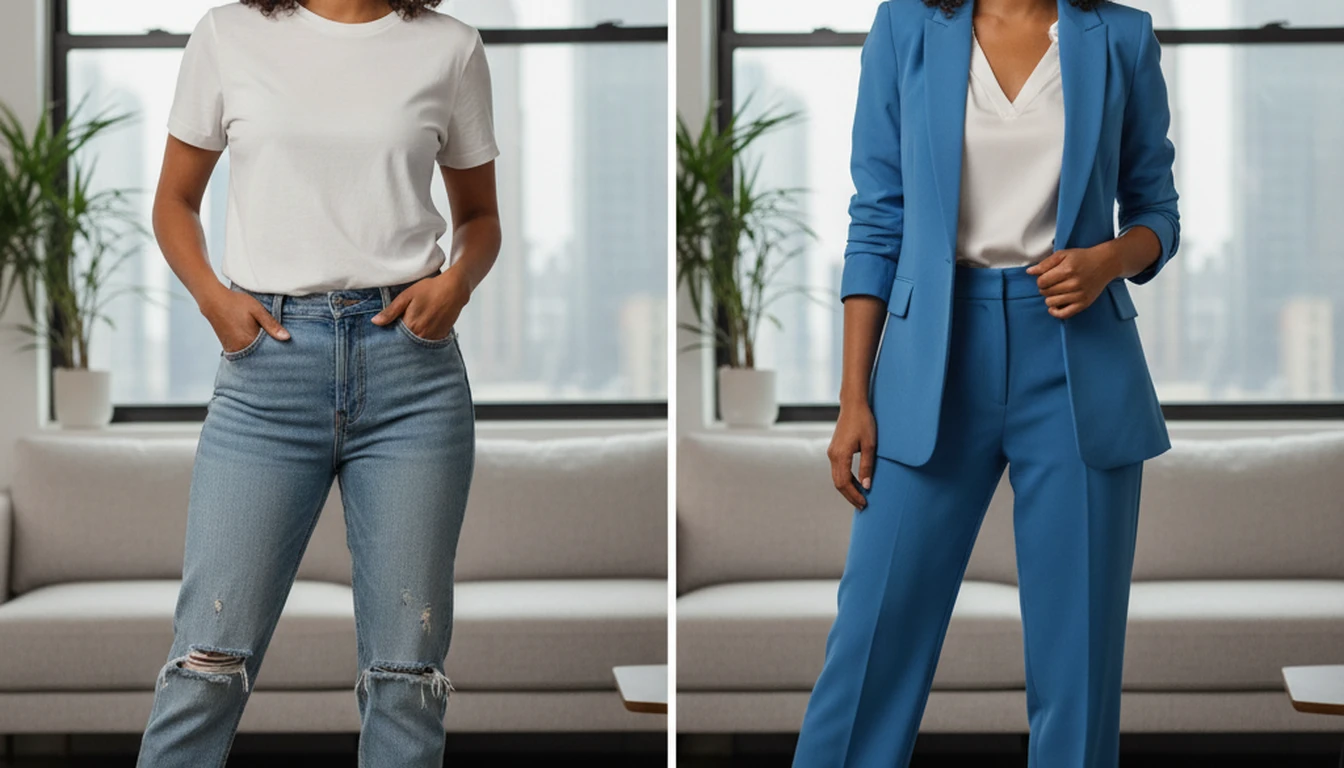
Modern AI virtual try-on like FitInView uses generative AI models rather than the old overlay approach. Here is what happens in the 5-15 seconds between pressing ‘Try On’ and seeing your result:
Stage 1: Body Analysis
The AI examines your base photo and identifies your pose (standing, sitting, arms position), body proportions (height, shoulder width, torso length), skin tone and complexion, lighting direction and intensity, and background elements. This creates a complete understanding of the scene the garment needs to be placed into. The AI does not use a generic body model — it works with your actual body exactly as it appears in the photo, preserving your unique proportions and shape.
Stage 2: Garment Understanding
Simultaneously, the AI analyzes the clothing item. It determines the garment category (top, bottom, dress, outerwear), fabric type and how it should behave (stiff denim vs. flowing silk vs. structured wool), color and pattern information, and how the garment should drape on a body in your specific pose. This is where the AI’s training data matters enormously — models trained on millions of fashion images understand fabric physics intuitively, producing realistic wrinkles, folds, and movement.
Stage 3: Image Synthesis
Finally, the AI generates a new photorealistic image that combines both analyses. It renders the garment with realistic wrinkles, folds, and shadows that match your body’s contours and the scene’s lighting. Your face, hair, hands, and any uncovered skin are preserved exactly as they appear in the original photo. The result is a single photograph that looks like you actually wore that item and someone took a picture.
The quality of this synthesis depends on the AI model used. Faster models trade some detail for speed, delivering results in 5-8 seconds. More powerful models take 15-60 seconds but produce finer fabric textures, more accurate shadow casting, and better handling of complex garments like patterned fabrics or layered outfits.
AI vs AR vs 3D Virtual Try-On: Which Technology Is Best?
Not all virtual try-on uses the same technology. Understanding the differences helps you choose the right tool and set appropriate expectations:
| Technology | How It Works | Best For | Limitations |
|---|---|---|---|
| AI Generative (FitInView, etc.) | Creates new photorealistic images using AI | All clothing types, full outfits, highest realism | Requires 5-60 seconds per generation; not real-time |
| AR Overlay (Amazon, Snapchat) | Overlays 3D models on live camera feed | Accessories, shoes, glasses, real-time preview | Poor with flexible clothing; less realistic for garments |
| 3D Body Modeling (older tech) | Wraps garment mesh around 3D body scan | Precise fit measurements | Looks artificial; requires specialized hardware or apps |
AI generative try-on is the most versatile and produces the most realistic results for clothing. AR works better for rigid accessories (glasses, watches, shoes) where real-time preview matters more than photorealism. 3D modeling has largely been superseded by AI approaches but still exists in niche enterprise applications focused on precise body measurement rather than visual preview.
FitInView uses the AI generative approach, which is why results look like real photographs rather than video game renders or augmented overlays. For a comparison of specific apps using these technologies, see our best virtual try-on apps ranking.
How to Take the Best Photo for Virtual Try-On

Your photo is the foundation of every virtual try-on result. A great base photo leads to dramatically better output. Here is a detailed breakdown of what makes a good try-on photo:
- Use a full-body shot when possible — the AI can extend the frame for partial shots, but starting with a full body produces more natural results. If you only have a headshot, the AI will generate a body, which may not match your proportions exactly.
- Stand in a relaxed, natural pose — arms slightly away from the body give the AI more room to work with. Avoid crossing your arms or putting hands in pockets, as this creates occlusion that the AI must work around.
- Choose a simple, uncluttered background — a plain wall is ideal. Busy backgrounds with furniture, plants, or other people can confuse the AI and produce artifacts in the final image.
- Ensure even lighting — avoid strong shadows on one side of your body. The best results come from diffused natural daylight or bright, overhead indoor lighting. Side lighting creates dramatic shadows that the AI may misinterpret.
- Wear fitted clothing — loose or bulky clothes make it harder for the AI to understand your body shape. The garment you are wearing will be replaced anyway, so wear something that clearly shows your silhouette.
How to Photograph Clothes for Virtual Try-On
If you are uploading your own garment photo (rather than pasting a store URL where the product image is pulled automatically), the quality of the garment image matters significantly:
- Lay the garment flat or hang it against a plain background — the AI needs to see the full shape and color without distractions
- Capture the full garment in frame — avoid cutting off sleeves, hems, or collars
- Use even lighting without strong shadows — natural daylight on a flat surface works perfectly
- Avoid heavily wrinkled items — smooth the garment before photographing so the AI can understand its intended shape
- Show the front of the garment — the AI primarily renders the front view, so make sure the front is clearly visible
- For patterned items, use HD or Ultra 4K mode — higher resolution captures pattern details that Quick mode may blur
Which Virtual Try-On Quality Level Should You Use?
FitInView offers multiple AI models for try-on. Each has different strengths, and choosing the right one depends on your situation:
- Flash - Fast at 5-8 seconds, good quality, best for quick checks and casual browsing through your wardrobe. Uses fewer credits, making it ideal for exploring many combinations quickly.
- HD Pro - Slower at 15-25 seconds but significantly higher resolution and more detailed fabric rendering. Colors are more accurate, textures are visible, and draping looks more natural. Best for final decisions, sharing with friends, and important outfit planning.
- Ultra 4K - About 60 seconds, four times the detail of HD. Shows fabric grain, pattern alignment at seams, stitching details, and subtle texture variations. Best for high-stakes purchases like special occasion outfits, designer pieces, or any garment where fine detail matters.
- Alternative models - Some quality levels use different underlying AI models that may produce more creative interpretations of how a garment sits on your body. Good for editorial-style shots and seeing a different aesthetic perspective.
A practical workflow: use Flash mode to quickly browse 10-15 combinations, narrow down to 2-3 favorites, then regenerate those in HD Pro for a final comparison. Reserve Ultra 4K for your top choice when fine detail matters.
Multi-Item Try-On: Complete Outfits
FitInView supports trying on up to 5 items at once, which is critical for outfit planning. A top looks different paired with jeans versus tailored trousers. A jacket changes character depending on what is underneath. Multi-item try-on lets you see the complete picture rather than guessing how individual pieces will look together.
Multi-item try-on works best when you specify items from different zones (top, bottom, shoes, accessories) rather than multiple items competing for the same zone. The AI handles layering well — a shirt under a blazer, a coat over a dress — when the garment zones are logically distinct.
To build a multi-item try-on, use the Outfit Builder to assemble your combination on the flat-lay canvas, then tap Try On to see the full look on yourself. You can also ask Style Twin for a complete outfit suggestion and try the whole thing on with one tap.
What Can You Use Virtual Try-On For?
Virtual try-on technology serves several distinct use cases, each with its own workflow and benefits:
Online Shopping
The original use case: see yourself wearing an item before you buy it. Paste a product URL from any store and the AI generates a try-on image in seconds. This can help reduce returns - you know whether a piece suits you before it ships. Combined with your existing wardrobe, you can also check if the new item works with clothes you already own before committing to a purchase.
Daily Wardrobe Management
Plan tomorrow’s outfit tonight without opening your closet. Browse your digitized wardrobe, try combinations virtually, and save your choice. In the morning, just put on what you already decided. This is especially valuable for people who lose time every morning agonizing over what to wear. Learn how to try on clothes from your own closet for a step-by-step walkthrough.
Outfit Planning for Events
Wedding, job interview, first date, vacation — any event that demands a specific look benefits from virtual try-on. Try five or ten options in minutes, compare them side by side, and arrive confident that you are wearing the right thing. The comparison history makes it easy to revisit options and get second opinions from friends.
Wardrobe Utilization
Many people tend to rotate the same small set of wardrobe favorites. Virtual try-on helps you see unfamiliar combinations that work - that green cardigan buried in the back of your closet might look amazing with those navy pants, but you would never have paired them without seeing it first.
Best Practices for Virtual Try-On
After extensive testing across thousands of try-on sessions, here are the practices that consistently produce the best results:
- Invest time in one great base photo — this single image determines the quality of every try-on you generate. Take it in ideal lighting with a clean background.
- Start with Flash mode for exploration — do not spend HD credits on every combination. Use Flash to narrow down options, then HD for final selections.
- Keep garment photos clean — whether scanning your wardrobe or adding individual items, better input photos produce better try-on results.
- Use multi-item try-on for outfit decisions — seeing one piece at a time is less useful than seeing the complete outfit together.
- Compare similar options side by side — when deciding between two jackets or two dresses, generate both and compare rather than relying on memory.
- Save your best results — build a library of approved outfits you can reference daily without regenerating.
- Revisit your wardrobe monthly — as seasons change and you acquire or retire items, your try-on options evolve. A monthly refresh keeps your digital closet accurate.
Common Issues and Fixes
Virtual try-on technology is impressive but not perfect. Here are the most common issues users encounter and how to solve them:
- Garment looks too flat — try a different base photo with clearer body contours, or switch to HD Pro mode which renders fabric draping more accurately
- Face looks different — ensure your base photo has good, even lighting. Strong shadows or colored lighting in the original photo can cause the AI to adjust skin tones.
- Lower body missing or awkward — this happens when using a headshot or upper-body photo. The AI extends the frame, but results are significantly better with a full-body starting photo.
- Colors appear slightly off — this is usually a lighting issue. Take your base photo in neutral daylight for the most accurate color matching between your skin and the garment.
- Generation fails or times out — simplify the request by using fewer items or providing a clearer garment photo. Complex generations with many items occasionally need a retry.
- Garment appears on wrong part of body — ensure the garment is correctly categorized in your wardrobe. A top mistakenly categorized as a bottom will not render correctly.
The Future of Virtual Try-On
Virtual try-on technology continues to advance rapidly. In the near future, expect to see real-time video try-on (moving, walking, spinning while wearing virtual clothes), even more accurate fabric physics simulation, and tighter integration with e-commerce platforms so try-on becomes a standard part of every online purchase decision.
The gap between virtual try-on and a physical fitting room is closing fast. For most everyday shopping and outfit planning decisions, the technology is already good enough to be genuinely useful — and it will only get better from here.