Virtual Try-On Quality Compared: Quick vs HD vs 4K Resolution
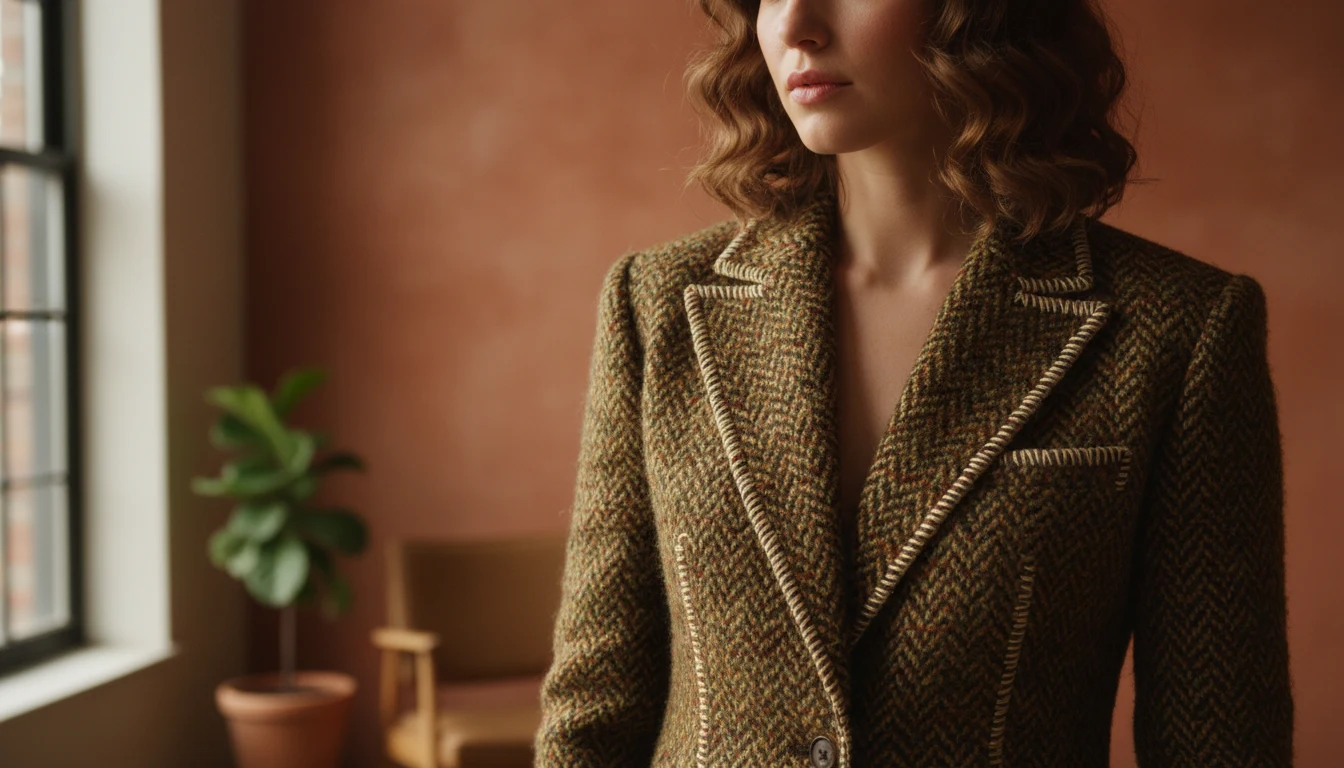
You know that moment in a fitting room when you lean into the mirror and check the weave of a fabric, or run your thumb across a lapel to feel the texture? That is the level of detail Ultra 4K virtual try-on brings to your screen. FitInView's highest-resolution try-on mode renders clothing at four times the pixel count of standard HD, revealing fabric textures, pattern alignments, stitching details, and material finishes that lower resolutions simply cannot capture.
This article explains the technology behind Ultra 4K virtual try-on, compares it against the other quality tiers, breaks down when each resolution level makes sense, and shares tips for getting the most realistic results at every quality level.
Why 4K Resolution Changes Virtual Try-On
Standard virtual try-on is excellent for a quick gut check - does this jacket work with those trousers? Does the color look right? But when you are about to invest in a special-occasion dress, a tailored suit, or a designer piece, a quick impression is not enough. You want to see the fabric grain, the way a herringbone pattern aligns at the seams, the subtle texture of a cashmere knit, and how light plays across satin versus matte cotton.
Ultra mode renders at approximately 2048 by 2048 pixels - four times the pixel count of HD mode and sixteen times the pixel count of Quick mode. We call it '4K' because the total pixel count (roughly 4 million pixels) approaches 4K display standards, though the output is square rather than the 3840x2160 format of 4K televisions. At this resolution, the AI has enough room to preserve fine pattern details in knit fabrics, maintain the repeat pattern of a floral print, and show realistic shadow gradients where fabric folds.
The Three Quality Tiers Compared
| Quick | HD | Ultra 4K | |
|---|---|---|---|
| Resolution | ~512px | ~1024px | ~2048px |
| Best for | Browsing and exploring | Deciding what to buy or wear | Special purchases and fine details |
| Detail level | Good overall impression and silhouette | Clear colors, fit, and proportions | Fabric texture, patterns, stitching, material finish |
| Speed | 5-8 seconds | 15-25 seconds | About 60 seconds |
| Credits | 10 | 20 | 30 |
| Ideal garments | Any - great for rapid comparison | Solid colors, clean silhouettes | Patterned fabrics, textured knits, embroidery, tailored pieces |
The Technology Behind Ultra 4K
Virtual try-on at any resolution involves several AI stages working in sequence. First, the system analyzes your photo to understand your body pose, proportions, and the lighting environment. Second, it processes the garment image to understand the fabric's drape characteristics, color, and pattern. Third, it composites the garment onto your body while preserving realistic lighting, shadows, and fabric behavior.
At Ultra 4K resolution, each of these stages runs at higher fidelity. The pose estimation is more precise, capturing subtle body contours that affect how fabric hangs. The garment processing preserves fine pattern details that would be lost at lower resolutions - the difference between a plaid that looks like a blurry grid and a plaid where you can clearly see the individual lines. The compositing stage generates more realistic fabric physics, showing how a heavy wool coat drapes differently from a light silk blouse.
The entire pipeline takes about 60 seconds for Ultra 4K, compared to 15-25 seconds for HD and 5-8 seconds for Quick. The extra time is spent on higher-resolution rendering passes and more detailed fabric simulation.
When to Use Each Quality Tier
Think of the three tiers like trying on clothes in a store. Quick mode is glancing in the mirror as you walk past - enough to know if the silhouette and color work. HD is stepping into the fitting room and checking the fit, color accuracy, and proportions from every angle. Ultra 4K is bringing the garment to the window where natural light reveals every detail of the fabric and construction.
Use Quick Mode When:
- You are browsing your wardrobe for outfit ideas and want to check many combinations quickly
- You want a fast sense of whether a color or silhouette works on you
- You are using the Outfit Builder and want rapid visual feedback as you swap items
- You are comparing five or more options and need speed over detail
Use HD Mode When:
- You have narrowed your choices to two or three options and want to compare them clearly
- You are deciding between items for an upcoming event and need accurate color representation
- You want to share the result with a friend for a second opinion - HD resolution looks clean on phone screens
- You are shopping online and want to see how a specific product looks on you before buying
Use Ultra 4K Mode When:
- You are investing in an expensive piece - a wedding guest outfit, designer jacket, or tailored suit - and want to see every detail before committing
- The garment has a complex pattern (florals, plaids, geometric prints) where pattern alignment and scale matter
- The fabric has visible texture - cable knit sweaters, tweed blazers, embroidered details, sequined tops
- You want to zoom into the result and inspect specific areas like collar construction, button details, or hem finishing
- You are creating content and want the highest-quality virtual try-on images
How to Get the Best Ultra 4K Results
The quality of your Ultra 4K try-on depends significantly on two inputs: your photo and the garment image. Here are tips for maximizing both:
Your Photo
- Use a well-lit, full-body photo taken in natural light or bright indoor lighting
- Stand against a simple, uncluttered background - plain walls work best
- Wear form-fitting clothes in your base photo so the AI can accurately map your body shape
- Keep your arms slightly away from your body - this helps the AI place sleeves correctly
- A straight-on pose produces the most reliable results; extreme angles can distort the fit
The Garment Image
- High-resolution garment photos produce better results - the AI can only render details it can see in the source image
- Product photos from retailer websites usually work well because they are professionally lit and high resolution
- For your own wardrobe items, photograph them flat or on a hanger in good lighting
- Patterned fabrics benefit most from Ultra 4K - if the source image clearly shows the pattern, the try-on will faithfully reproduce it
Ultra 4K for Online Shopping
One of the most powerful use cases for Ultra 4K is online shopping. Before spending money on a garment you have never seen in person, you can paste the product URL into FitInView and see it on yourself at full 4K resolution. This is especially valuable for:
- Patterned items where the scale of the pattern matters - a floral that looks delicate in a product photo might look oversized on your frame, or vice versa
- Textured fabrics where you want to assess the visual weight - a chunky knit reads very differently on a petite frame than on a tall one
- Color accuracy - 4K resolution combined with good lighting simulation gives you the most accurate sense of how a color will look against your skin tone
- Expensive purchases where the cost of a return (time, shipping, environmental impact) justifies the 30 credits for a detailed preview
Real-World Scenarios
Here are specific situations where each tier shines:
- Quick: You are building outfits in the Outfit Builder on a Sunday evening, trying 10 different top-and-bottom combinations to plan your work week. Speed matters more than pixel-perfect detail.
- HD: You found a linen blazer on Zara for 89 euros and want to see how it looks with your existing navy chinos and white sneakers before buying. You need accurate color and fit.
- Ultra 4K: You are considering a 350 euro tweed jacket for a wedding. You want to inspect the herringbone pattern, see how the texture reads on your frame, and check how it pairs with your existing formal trousers before committing.
Credit Strategy: Mixing Quality Tiers
Smart credit management means using the right tier for each moment. A practical shopping workflow might look like this: browse five items using Quick mode (25 credits total), narrow to two favorites using HD (40 credits), then make your final decision with Ultra 4K on the winner (30 credits). Total: 120 credits for a confident purchase decision with zero returns.
For daily outfit planning, Quick mode is usually sufficient. Save HD and Ultra 4K for special occasions, shopping decisions, and outfit combinations you want to save as high-quality images.
Related Posts
- How to Upload Your Clothes and Try Them On Virtually - Complete virtual try-on tutorial
- Best Virtual Try-On Apps in 2026 - How FitInView's try-on compares to competitors
- Smart Wardrobe App with Virtual Try-On - Full feature overview